
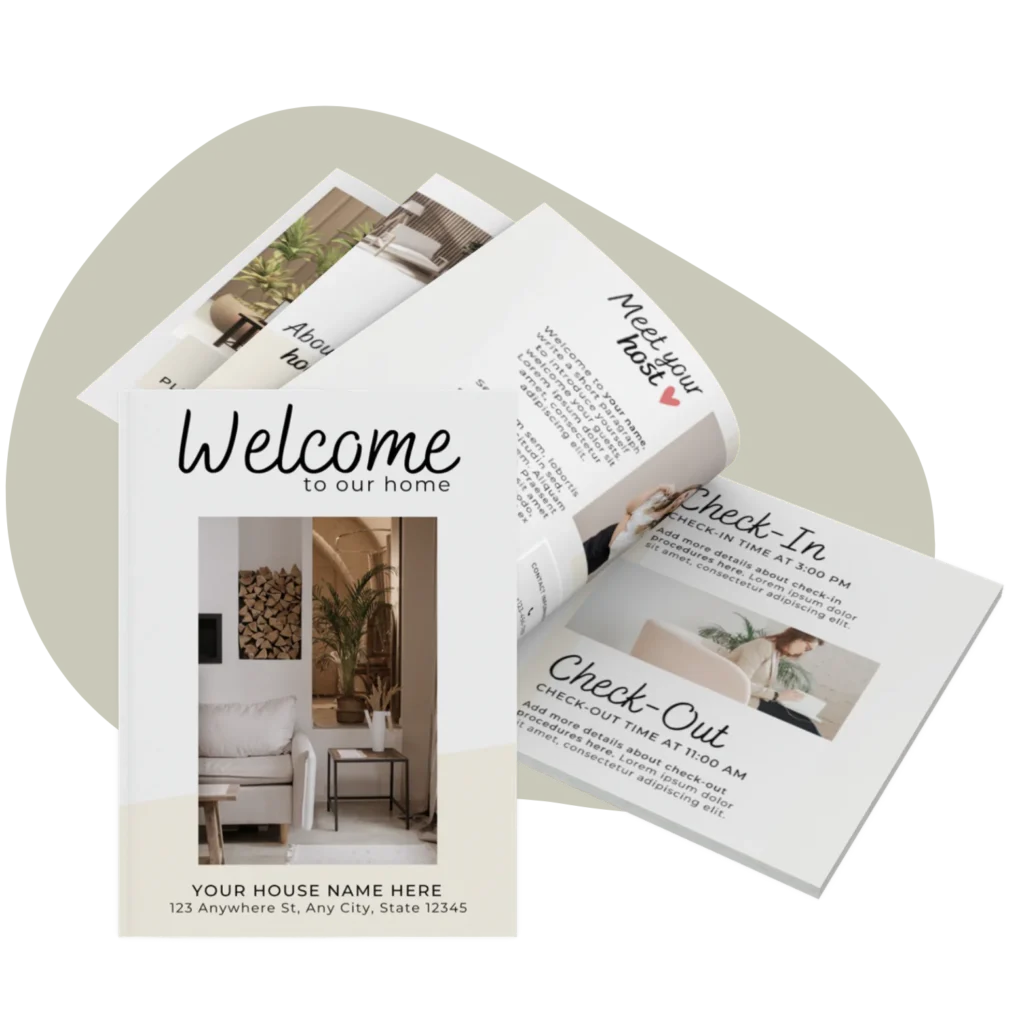
When I was running twelve villas in Azeitão, near Lisbon, I needed a welcome book for each property, and I needed to be able to update them fast. A guest would point out that a café had closed, a Wi-Fi password would change, a new parking rule would appear, and I couldn't be redesigning a document from scratch every time.
Canva is what made that realistic. It's free, it runs in a browser, and once you've built one welcome book you can duplicate and tweak it in minutes. This is the exact process I use, written so a complete beginner can follow it. If you want the bigger picture of what goes in the book, read the complete guide to the Airbnb welcome book first: this tutorial is about how to build it.
Why I build welcome books in Canva
I've tried word processors and design apps. Canva won for three reasons:
- It's free. A free Canva account is enough; you don't need Canva Pro.
- It's forgiving. You drag, drop and type. No design skills required.
- It's reusable. One good file becomes a template you copy for every property.
That last point is what mattered most with a portfolio. Build once, reuse forever.
Before you start: gather your content (15 minutes)
The slow part of a welcome book isn't the design: it's hunting for information while you design. So I collect everything first, in a single note:
- Wi-Fi network name and password
- Check-in and check-out times and instructions
- Parking and access details (gate codes, key boxes)
- How the appliances work (heating, AC, oven, washing machine)
- 5 to 8 honest local recommendations
- Emergency numbers and the nearest pharmacy/hospital
- 6 to 10 good photos of the property
Once that note exists, the build itself takes well under an hour.
Step 1: Start from a template, not a blank page
A blank Canva page is where weekends go to die. I always start from a ready-made Airbnb Welcome Book template: the layout, sections and structure are already there, so I'm editing rather than designing. If you host in a single language, the English Welcome Book template is the simplest starting point.
Open the template link, click to open it in Canva, and it lands in your account as an editable copy. Your first move should always be: File → Make a copy, and rename it for the property. You never edit your master.
Step 2: Set your colours and fonts once
Before touching the content, lock in the look so every page is consistent. In Canva you can set your brand colours and pick two fonts: one for headings, one for body text. Keep it to two fonts maximum. I match the welcome book to the feel of the property rather than to a logo: calm, warm, easy to read.
Do this first and every new text box inherits the right style. Do it last and you'll be fixing fonts page by page.
Step 3: Replace the photos
Swap the template's placeholder images for your own. In Canva you upload your photos under the Uploads tab, then drag each one onto an existing image frame, and it snaps into place at the right size. Use real photos of the actual home: the entrance, the kitchen, the view. Guests trust a book that looks like the place they booked.
A quick tip from doing this twelve times over: name your photo files clearly before uploading (`villa3-kitchen.jpg`) so you're not guessing from thumbnails.
Step 4: Write the content that matters
Now paste in the information from your note. Work section by section and resist the urge to write a novel: guests skim. Lead with the things they need in the first ten minutes (Wi-Fi, check-in, parking), then rules, then recommendations, then safety. I cover exactly what to include, and what to cut, in the welcome book guide and in the house manual checklist, and the trickiest section to get right, the appliances, has its own guide on writing appliance instructions.
Keep paragraphs short. Use the heading styles already in the template so the structure stays clean.
Step 5: Add house rules and matching signage
Put your rules in the book in a friendly tone, then reinforce the ones people forget (Wi-Fi, check-out, no smoking) with small printed signs around the home. I keep my book and my printable posters in the same colours so the whole place feels considered rather than cobbled together. If you're not sure how to phrase the rules so guests actually follow them, I've collected my house rules examples with the exact wording.
Step 6: Export for digital and print
When the book is ready, export it two ways from Canva's Share → Download menu:
- PDF Standard for the digital copy you send guests before arrival (smaller file, easy to open on a phone).
- PDF Print for the physical copy you'll print and leave in the home (higher quality).
I send the digital PDF with my check-in message and leave a printed copy on the kitchen counter. Both jobs covered.
Step 7: Keep one master, duplicate per property
This is the step that saved me hours across the villas. Keep one polished master welcome book. For each new property, duplicate it (Make a copy), then change only what's different: the photos, the Wi-Fi, the recommendations. Twelve villas became twelve copies of one good design, not twelve separate projects.
When something changes for one property, you edit that copy. When you improve the master layout, new properties inherit it. It's the closest thing to a system a solo host can have.
Step 8: Plan for guests who don't speak your language
During the World Cup in Qatar, my guests arrived from all over the world, and it taught me that a welcome book has to work for someone reading it in their second or third language. Two things help: keep the language plain and the sentences short, and offer at least the key sections in more than one language.
Canva makes this painless. You can duplicate the pages that matter most (the first-ten-minutes section, the house rules) and paste in a translation, so the layout stays identical across languages. Or you start from a multi-language Welcome Book template that already includes five languages, so you're editing rather than translating from a blank page. Even putting just the Wi-Fi, check-in and AC instructions in two languages removes a surprising share of confused messages.
A few Canva features worth knowing
You don't need to be an expert, but four small features did most of the heavy lifting for me:
- Brand Kit: save your colours and fonts once, then apply them to any element with a click. This is what keeps a dozen pages looking like one document.
- Duplicate page: build one section perfectly, then copy it for the next property or the next language instead of rebuilding.
- Position → Align: snaps text and images into line so the book looks tidy without you eyeballing every margin.
- Uploads folder: keep each property's photos in its own folder so you're never hunting through hundreds of thumbnails mid-edit.
None of these take more than a minute to learn, and together they turn a fiddly job into a fast one.
Common mistakes I see
- Too long. If a guest can't find the Wi-Fi password in ten seconds, cut.
- Too many fonts and colours. Two fonts. A small palette. Stop there.
- Tiny text. People read this on phones and in a hurry. Keep it large.
- Never updating it. A welcome book that points guests to a closed café does damage. Review it regularly.
- Stock photos. Use the real home. Always.
Build yours this week
You don't need to be a designer, and you don't need a free weekend: you need a template, your content in a note, and about an hour. Start from the BnB Welcome Book template, follow the steps above, and you'll have a book your guests actually thank you for. When you're ready to go deeper on the content itself, the complete welcome book guide is the next thing to read.